
Choose from one of our available training video topics:

Overview of the AFC series control panels and some of the features.

Introduces all the P-Link (RS-485) panel accessories.

Covers the installation, wiring and setup of the PSN-1000 power supply.

Covers installation and wiring of all the P-Link panel accessories.

Introduces all the SLC detectors and bases.
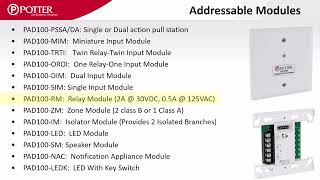
Introduces all the SLC modules.

Covers the installation and wiring of all SLC detectors, bases, and modules.

Learn how all the I/Os and I circuits can be individually configured as outputs and inputs.

Covers the P-Comm connections including email and reporting.

Navigation of the Windows and transfer ribbons

How to update firmware on an addressable control panel

Reviews what information is be included under General Options and Job Details tabs

The points tab configures device addresses, types, functions, and device specific options

Create and manage software zones by defining input and output correlations and associated rules
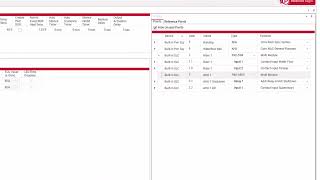
How to correlate inputs and outputs and assign zone rules to create a functional program

Configure power, detectors, zoning, and output patterns for sounder base operation

Explanation of each Relay type and their functions

Covers PSN-1000 device setup, NAC/input circuits, function assignments, and more
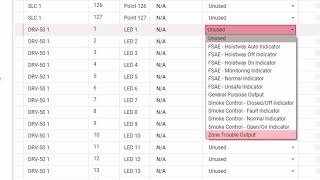
Summarizes all the available P-Link accessory cards and explains their programming options

Configure local area network settings

Configure dialer setup, phone line options, reporting priorities, account details, and reporting formats

Configure email reporting, automated reminders, scheduling, recipient settings, report types, and other panel-generated email options

Describes each element on the Potter Detector Status Report

Step-by-step guide for starting up a Potter fire alarm control panel, including software installation, Ethernet connection, IP setup, and more
This series guides you through Potter Integrated Voice systems: panels, amps, mics, wiring, config, audio, paging, and system control.

Potter's AFC-1000V & IPA-4000V voice panels, with amps, mics, text-to-speech, remote paging and system control

Installing Potter Voice systems: panels, amps, mics, VM-1000, V-Link/P-Link wiring, and SB-8/SB-24 module setup

Channel setup, Fire/ECS priority, audio behavior, paging, overrides, and access control

Configuring voice devices: VM-1000 setup, SB-24 integration, amp settings, and related system options

Create and configure audio patterns in the Potter Voice system using different audio sources and pattern settings

How P-Link Voice devices create points for buttons, Aux Inputs, amps, and how zones use audio patterns, priorities, and speakers

Set up all-call and zoned paging, activate non-voice outputs during paging, and adjust paging in general options

Dual-channel audio setup with prioritized evac, alert, and ECS messages across multiple zones

How to program paging and ECS message launching over a Potter peer-to-peer network.

Creating an account enables you to efficiently enroll radios and oversee deployed units

Outlines the stages to adding a chosen central station, necessary for each IntelliCom account

An overview of the steps involved in establishing an IntelliView account

A guide through the complete procedure for registering an IntelliCom Advanced Gateway.

Add IntelliCom to IntelliView and begin using the services.

Advanced functionalities of IntelliCom when paired with the configuration tool, plus panel backups and remote panel programming

A live demonstration illustrating the complete process of commissioning an IntelliCom Advanced Gateway

This video provides an overview of the IntelliView software and its capabilities.
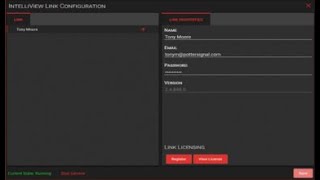
This video demonstrates how to install the IntelliView software.
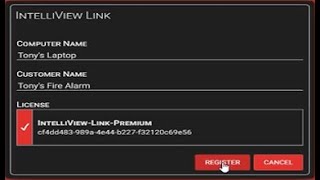
This video demonstrates how to register the IntelliView software.

This video demonstrates how to add a panel to the IntelliView software.

This video discusses the licensing options available for the IntelliView software.

How to perform a walk test and make a supplemental test report for use with NFPA 72 Test & Inspect reports using Potter IntelliView

How to use the IntelliView cloud features within the Potter Fire Panel Programmer software (v. 9 and higher)

Overview of the PFC-4064 control panel and some of its features.

Demonstrates how the NACs can be individually configured via the keypad.

Demonstrates how the inputs can be independently configured via the keypad.

Demonstrates how to map inputs and outputs via the keypad.

Demonstrates how to program both the built-in IP Communicator and the UD-1000 DACT via the keypad.
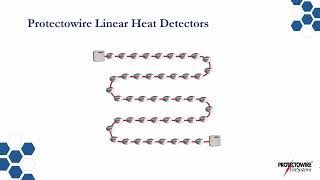
Linear Heat Detection products, applications, and installation

Linear Heat Detection products, applications, and installation
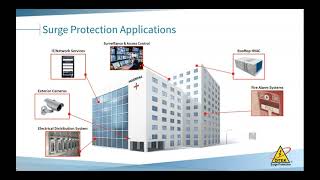
Webinar covering Ditek Surge Protection

Introduces the Wagner Aspirating Smoke Detector portfolio

Features, benefits, common applications, and a demonstration of the fully equipped Wagner Titanus TopSens

Features, benefits, modularity, and common applications of the universal Titanus ProSens

Webinar covering Wagner's line of aspirating smoke detectors
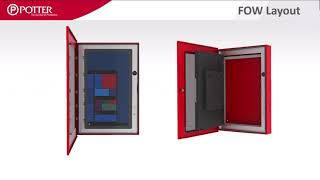
Preparing, installing, programming, and commissioning the Floor Overview Window (FOW)

How the Supervisory to Alarm zone style functions, covering alarm counts, detector promotion, and different zone configuration scenarios

The functions and programming of soft key devices.

Learn how to print reports from the programming software.

Learn how to share a common reporting technology.

Learn about QuadraSync, Reference EOL, and more to save you time and money on your next fire alarm project.

Demonstrates the LEARN function auto programming.

See how to easily program the PAD100-SB/LFSB on the AFC/IPA series panels.

Simply program elevator recall with drag-and-drop software.

Set up and activate NACs for a fire drill.

Address SLC devices using the fire panel or hand-held programmer.

Disable or enable groups of points via the keypad or a key switch.

Learn how to create a zone for supervisory points.

Learn about Potter's PFC-6006 Sprinkler Monitoring Panel.

Program the on-board dialer for the Sprinkler Monitoring Panel.

Test detector sensitivity from a PFC-6000 Series fire panel.

Learn how to use Potter's innovative Facility Management software.

Learn how to set a static IP address at the PFC-6000 series fire alarm control panel.

Learn how to troubleshoot IP conflicts in Windows 7.

Learn how to troubleshoot IP conflicts in Windows 8.

Several end user features of the Potter fire panels.

Releasing features and characteristics of the PFC-6075R.

A few software shortcuts that can save you time when using the programming software.

The suggested method for testing the PFC-6000 Series fire panels by using the built in walktest feature.

Locate an SLC device, find duplicate addresses, and see the status of a smoke or heat detector with PinPoint.

Installation video for the PSN Series power supply.

How to program releasing systems with Potter addressable fire panels.

A brief overview of Potter voice panels.

How to troubleshoot the voice panels based on LEDs.

The difference in accessory cards and how they are used.

How to properly fill out and complete an HMX voice panel order form.

Program a FSAE Graphical Annunciator on a Potter addressable fire alarm system.

Description of each element on the Potter Detector Status Report
Have a question or comment about Potter Training?
We would love to hear from you!